Registro de cambios de Foresight

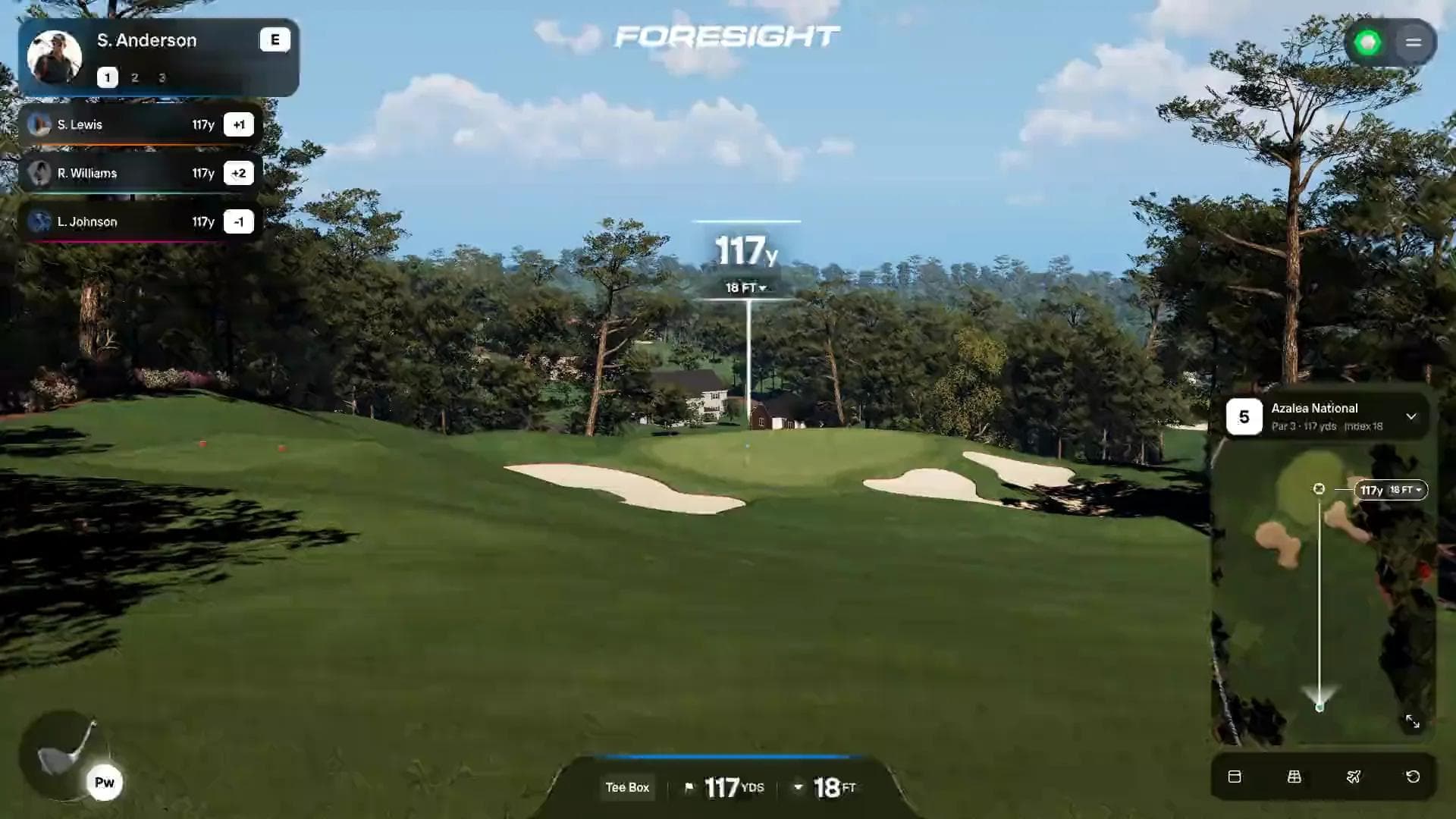
Foresight Premier 1.2 is here, with newly converted courses, a data tile widget and view in Shot Analysis, a repositioned bottom HUD for a better view of the course, and other improvements in Course Play.

Course Play

  • Bottom HUD: Repositioned to the left of the screen for a better view
  • Lie penalties: See power and spin range impacts in ugly lies
  • Default aim fixes: On shorter doglegs, your aim starts down the fairway instead of at the pin through the trees
  • End of hole: Spacebar moves you on to the next hole and keeps the score you posted
  • Tee names: Courses with custom tee names show them everywhere you pick a tee
  • Hole-out sounds: Hear the ball drop into the cup and ring off the flagstick
  • Distant scenery: Small rocks and other details stay in view during flyovers
  • 4:3 display help: The minimap, player list, and top-right menu are properly sized for 4:3 displays
  • Smaller course downloads: Courses share more common assets

Shot Analysis

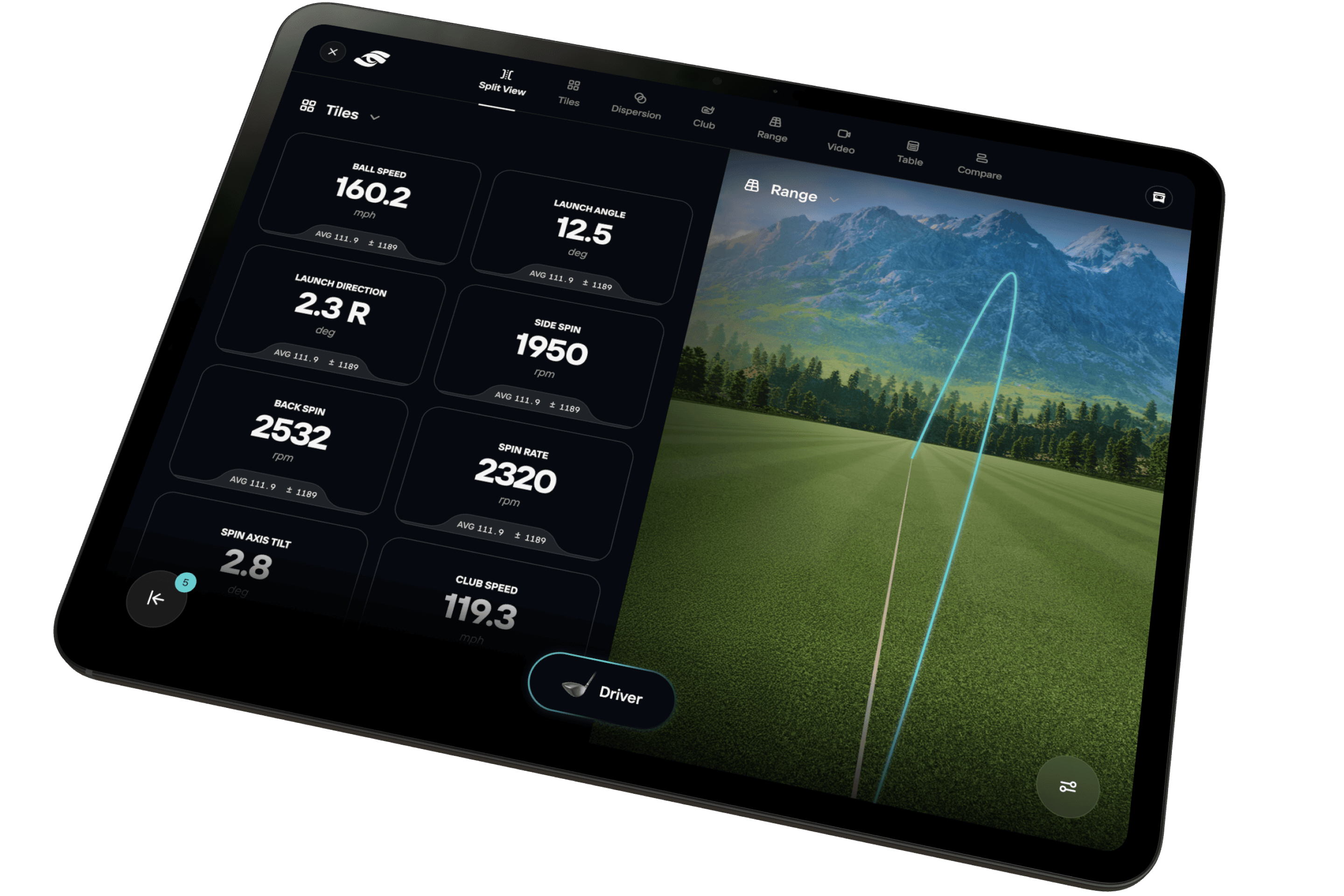
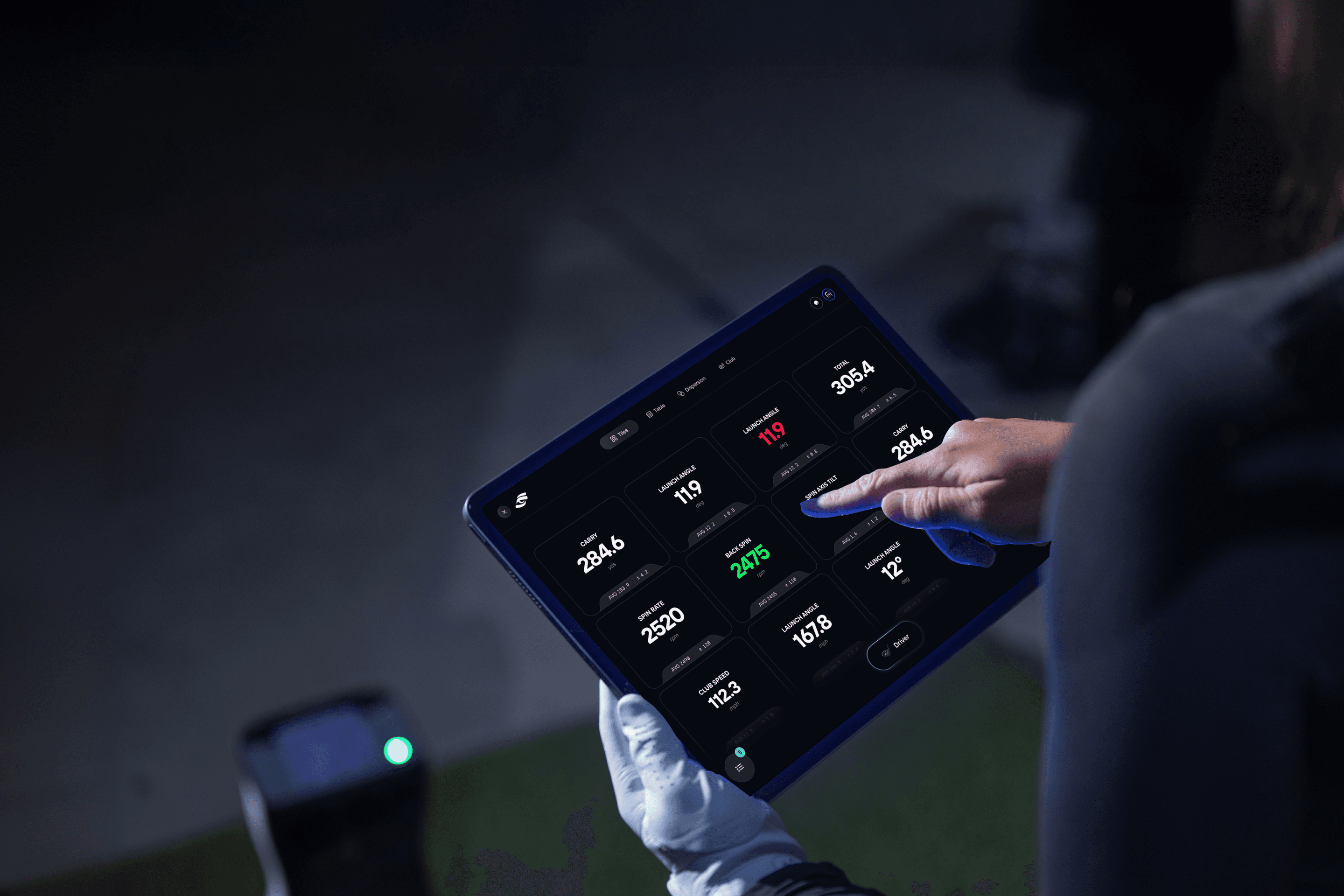
  • Data Tiles view: A new tab fills the screen with your shot numbers, and you pick which tiles appear
  • Data Tiles widget: Keep the shot numbers you choose beside the ball flight on the range
  • Extra screens: Show more data tiles at once, and the grid scrolls when you add more

New Courses

Course Pass

  • PB Dye
  • The Bridges

Course Pass Pro

  • Stonewall Links
  • The Bedens Brook Club
  • Niagara Falls Country Club
  • Totteridge
  • Credit Valley
  • Panther Creek

Training

  • Adding Targets: Cancel and Create stay in view while you add targets to a custom drill, and the target list scrolls

Foresight+

  • Billing address: Enter your address from many more countries, with fields that match your country

More Fixes

  • Smaller fixes and polish across Course Play, Training and the Course Library
Firmware Updates and My Tiles for the New GC2

Update your launch monitor's firmware and set up the display of the new GC2 from the app.

New Features

  • Firmware Updates: Update the new GC2, GC3, GC3s, Launch Pro, and LPi directly from the app
  • My Tiles for the New GC2: Choose the shot data on your device and save your own screen layouts
  • New GC2 Display Controls: Switch Indoor/Outdoor mode and Imperial/Metric units from the app

Improvements

  • My Tiles for QuadMAX: Clearer preset previews, plus save progress and retry options
  • Device Screens: Refreshed connection and settings screens navigate consistently on phones and tablets

This release contains quality-of-life improvements for Course Play and Shot Analysis, as well as some fixes regarding membership management.

We’re also working on features for future updates: including green reading & putting changes, 4:3 sim setups, scoring formats, skip hole/pick up, and more. Stay tuned!

Course Play

  • Bunker shots: The camera switches to a third-person view when the ball is in a bunker
  • Aim circle: Now sits cleanly on sloped ground and stays visible
  • Penalty flows: Added more time to select approach after a water or out-of-bounds shot, and the mulligan key works
  • Leaving a round and returning: Come back to the tee with your previously-set aim line
  • Multiplayer: Each player's ball sits on the tee, and the minimap resets for new players
  • Scorecard: Hole lengths now respect your metric units setting

Shot Analysis

  • Club Compare: Shot trajectories fill the chart, so shots are easier to compare
  • Table and Club views: Stay on screen after each shot when the chase camera is on
  • Table view: Quick Select opens right under Club Filter, and the shot panel toggle is easier to see

Foresight+

  • Plan changes: Downgrade to a lower membership or Course Pass plan from your profile
  • Canceling: See what changes before you cancel a membership or remove a Course Pass
  • Course access: Courses you unlock are ready to play right away

Setup and Devices

  • GC2 support: Foresight’s newest launch monitor
  • Device Connection help flow: Takes you back to the previous screen without closing the window
  • Multi-screen selection: Monitors with the same name are numbered so you can tell them apart
  • Edit player: The player card stays visible while you scroll the tee list

Bug Fixes

  • Leaderboard drill results now show your actual rank
  • Club Compare shot group colors now match your indoor or outdoor mode
  • Foresight+ plan details are corrected
  • LaunchPro owners now see the correct Foresight+ sign-up flows

Introducing Foresight+

Foresight+ is here, and so is the biggest Foresight App update yet: spoken narration, real-course practice on over 40,000 holes, weekly competitions, and more.

Foresight+ Membership

  • Join in the App: Sign up for Foresight+ right from the app, with trials and special offers

Off the Tee Drills

Available with Foresight+ Gold membership.

  • Real Courses: Be a fairway finder. Practice tee shots on over 40,000 real holes, scored on where the ball actually lands.
  • Iconic Tee Shots: Play famous holes like Cypress Point 16, the Old Course 17 and Riviera 18.
  • Per-Hole Trends: See how you are improving on each hole over time

Audio Narration

Available with Foresight+ Gold membership.

  • Spoken Results: Hear your numbers after every shot, so you can keep your eyes on the ball and stay focused.
  • Hole Briefings: In drills, understand your Off the Tee, hear carry distances, doglegs, bunkers and water before you hit
  • Shot Calls: Hear where the ball finished and how close you got to the pin

Leaderboards and Weekly Challenges

Available with Foresight+ Silver membership.

  • Weekly Competitions: Enter straight from the Play tab.
  • Results and Standings: See your rank and medal, then the full standings and podium.
  • Challenge History: Find past challenges in Activity, and retry while a competition is still open.

Swing Video

Available with Foresight+ Gold membership.

  • Automatic Recording: Use your phone or tablet as your swing camera. Your swing records as you hit, with no extra steps.
  • Slow Motion: Play back at quarter, half or true slow motion, and step frame by frame through impact.
  • Annotations: Mark up the
  • Linked to Your Shots: Every clip stays with its shot data and syncs across your devices

Shot Analysis

  • Real Course Dispersion: See your dispersion on a real course hole, one hole at a time.
  • Club Compare: Compare clubs side by side with flight path and club data visuals.
  • Move Shots: Drag and drop shots between clubs or shot groups.

13 Languages

  • Language support: Arabic, Chinese (Simplified), English, French, German, Italian, Japanese, Korean, Malay, Spanish, Swedish, Thai and Vietnamese

Improvements

  • Activity Filters: Filter your history by type, date and player, and sort it your way.
  • Polish: Smoother transitions throughout, and a better fit on small phones and tablets.

Bug Fixes

  • Changing your password now keeps you signed in.
  • More reliable connections to GCQuad units that upgraded to QuadMAX.

Introducing Foresight Premier

Foresight Premier course play

Foresight Premier is here!

Play sim golf with upgraded graphics and realistic physics, analyze your game using professional-grade tools, and train with scored drills. Many features on Premier are unlocked by a Foresight+ Silver or Gold membership. Available on PC.

Course Play

  • Course Library: Search, filter and sort courses as you type. Courses are available via Course Pass and Course Pass Pro. Foresight+ members who own FSX course licenses can also carry their ownership over to Premier (where converted).
  • Updated Physics: Our physics are better than ever, with realistic bounce and rollout to complement the world-class data from Foresight launch monitors.
  • Match Settings: Choose your tees, pins, putting, lie penalties and mulligans. More scoring modes and settings coming soon.
  • Multi-screen: Supported so you can show the course on the big screen and your data and mini-map on the smaller screen.
  • Course Updates: We’ve converted over 100 courses from the FSX library and tuned them for Premier, so they look and play better than ever. We’ve also remastered select courses - revisited the course in detail for an even more immersive round.
  • Course Visuals: We’ve tuned grasses, bushes, trees, clouds, buildings, shadows and satellite images to look great and run smoothly.

Shot Analysis

  • Targets: Place greens, bullseyes and landing zones downrange.
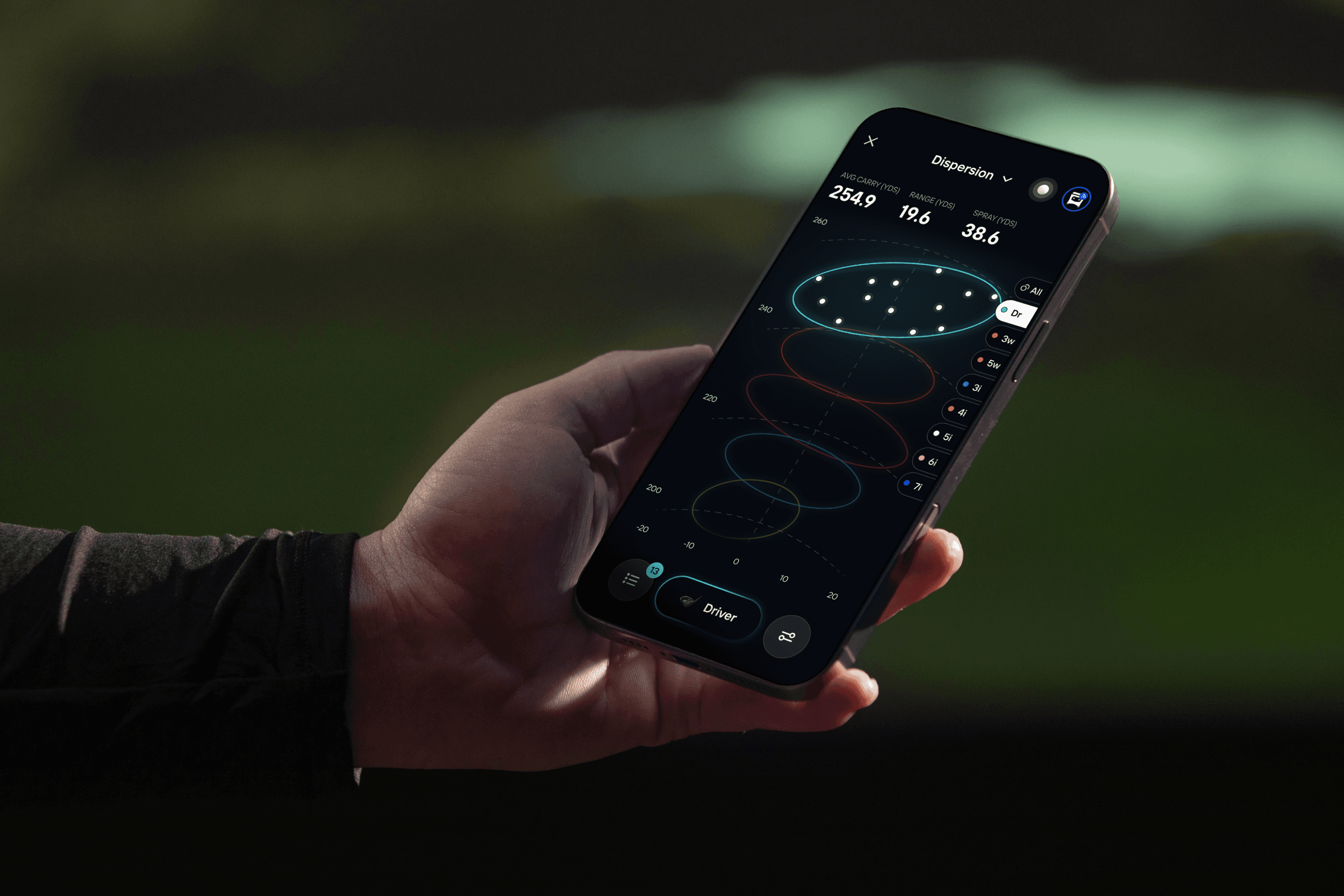
  • Core Views and Dispersion: Focus on your most consistent shots with each club
  • Compare View: Put clubs side by side, complete with club data
  • Swing Video: Use basic USB cameras or high-end hardware to capture and annotate every swing from your training session.

Training

  • Training Mode: Practice with scored drills, straight from the main menu.
  • Target Practice and Ladder Drills: Dial in distance and accuracy, or climb a set of distances one target at a time.
  • Difficulty and Custom Drills: Pick Easy through Tour Pro, or build and save your own drills.
  • Drill Summary: See your score, the handicap you played like, and where your miss tendencies are.

Wind Normalization

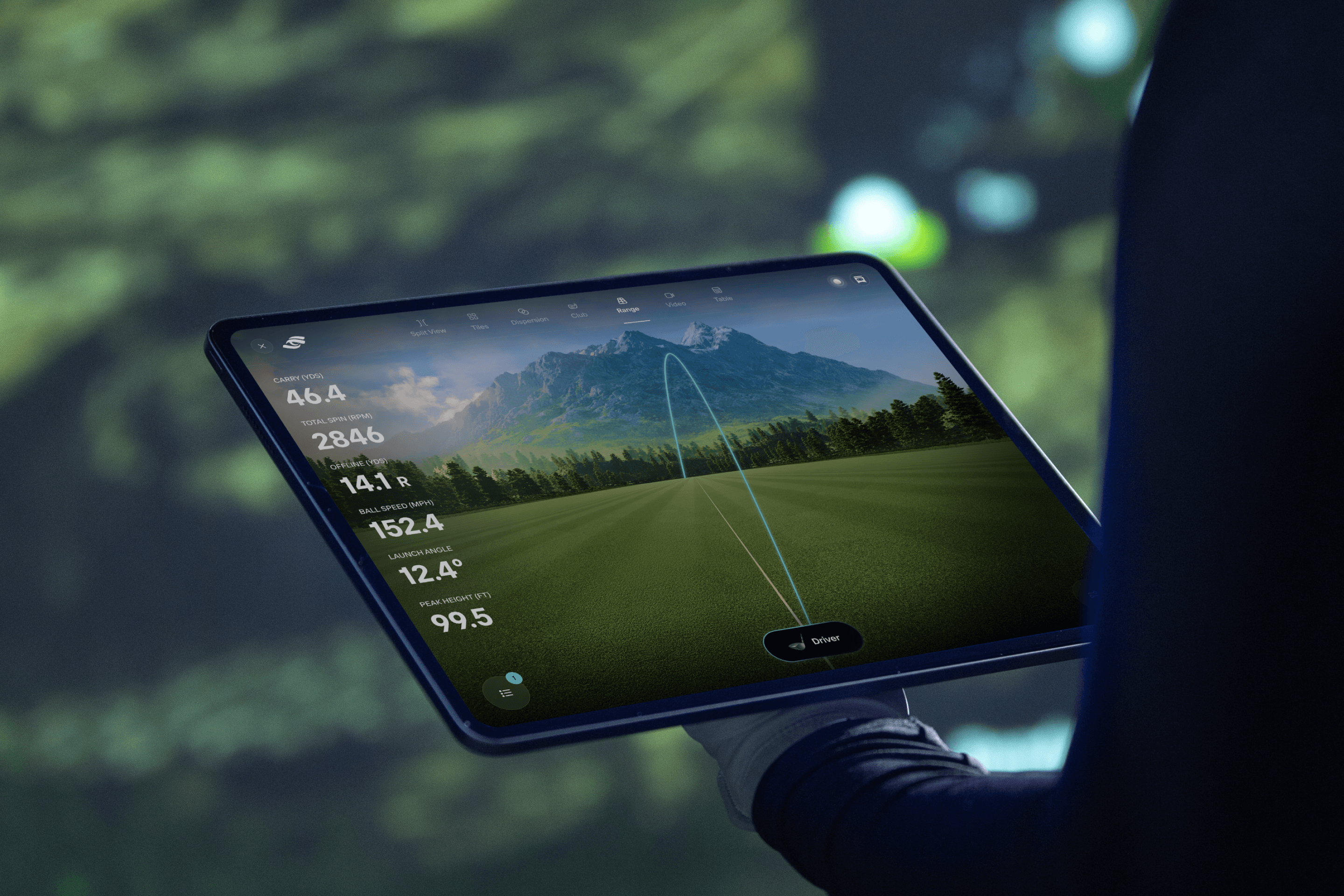
Tablet mockup showing range shot held outdoors

Match your current wind conditions to get more accurate shot data and a clearer picture of your true ball flight.

New Features

  • Wind normalization: match your current wind conditions to get more accurate shot data and better understand your true ball flight

Bug Fixes

  • Fixed an issue where spin numbers could appear mismatched from the device
  • Minor bug fixes and improvements

Zoom, Pan, and Edit Your Sessions

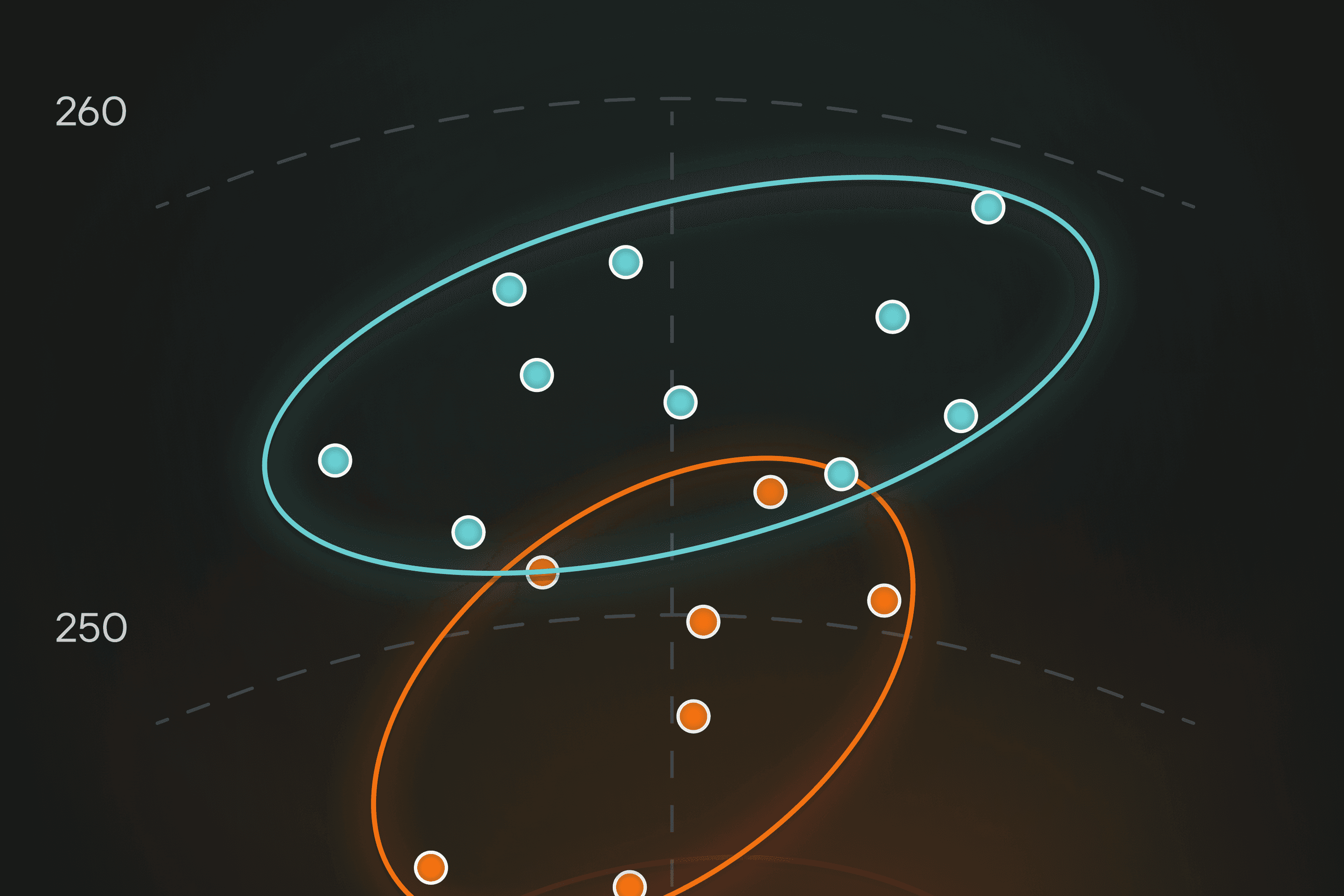
Feature view dispersion

Get closer to your shot patterns, clean up past sessions, and see how far the ball really rolled out.

New Features

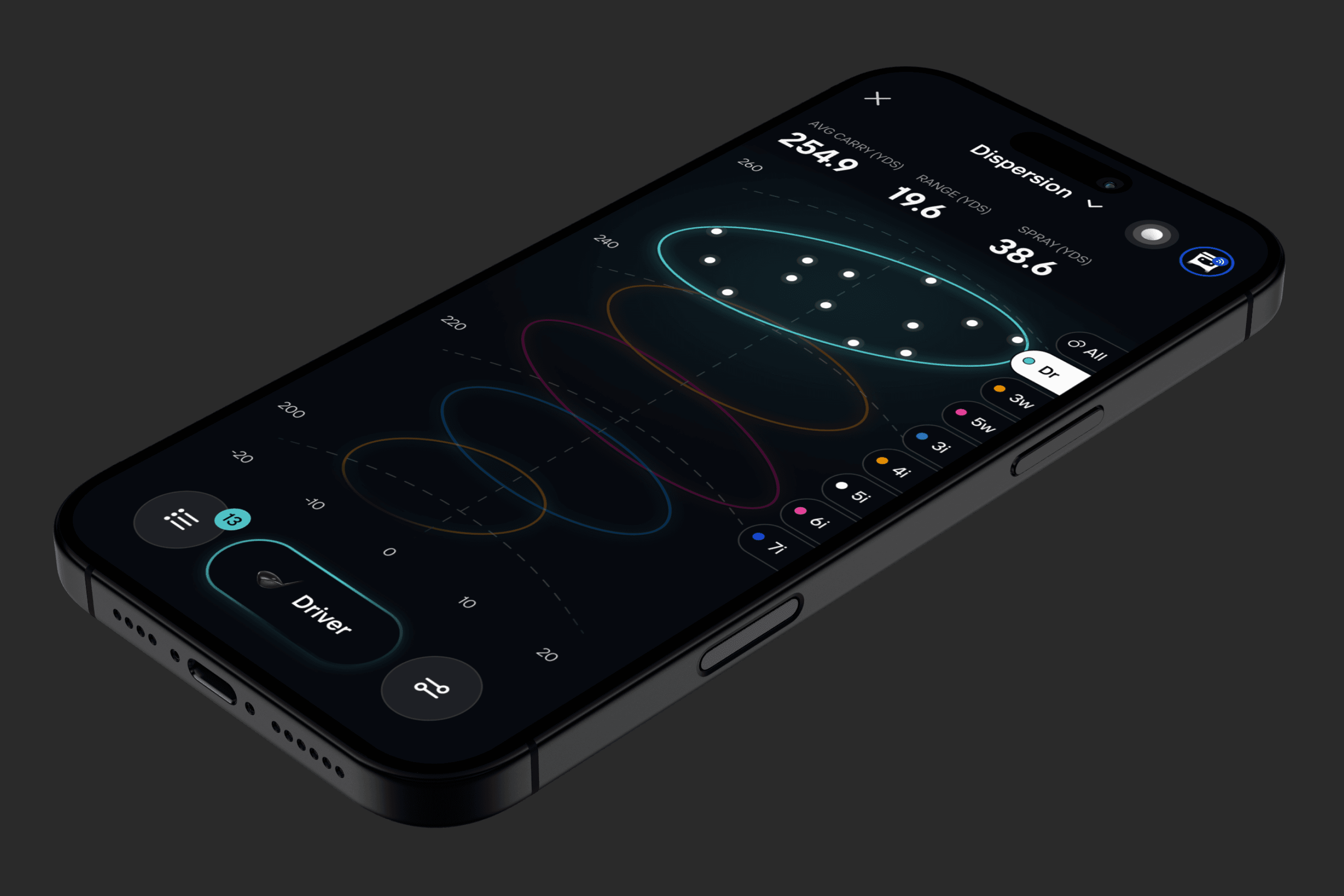
  • Dispersion View now supports zoom and pan, making it easier to closely analyze your shot patterns
  • Edit historical sessions: tag clubs, delete shots, or reorganize your data after a session is already complete
  • New Total data point in Shot Analysis, showing your full rollout distance

Bug Fixes

  • Minor bug fixes and improvements

Bug Fixes

  • Fixed an issue that could cause the app to crash or stay on the Foresight logo at startup on Android
  • Orphaned training sessions no longer appear in Activity or attempt to upload

Shot Normalization

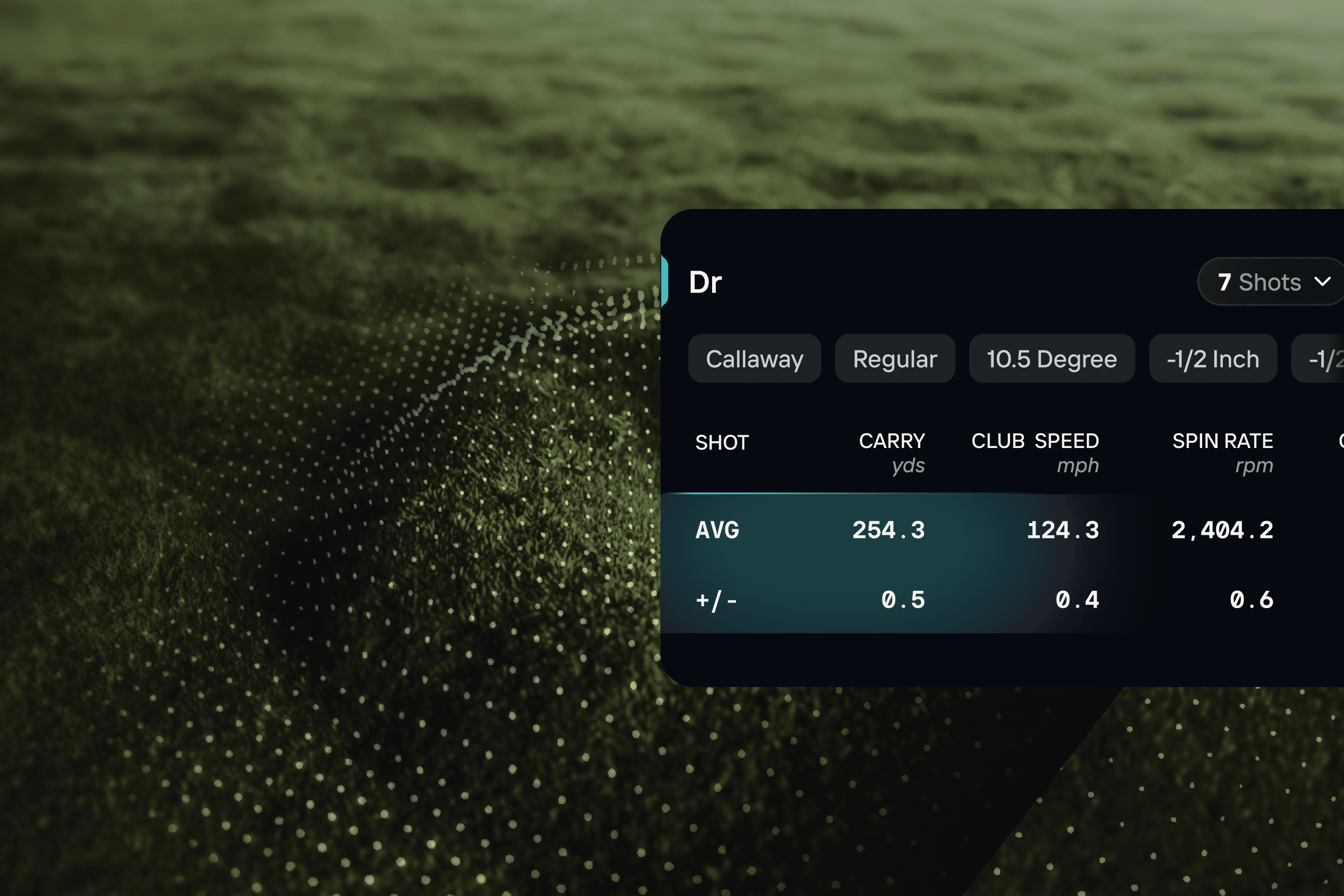
Feature view table

See how your shots would perform with a different ball or in different conditions, and count on your sessions syncing wherever you are.

New Features

  • Shot normalization in Shot Analysis: see how your shot would perform with a different ball or in different environmental conditions

Improvements

  • Sessions now sync more reliably across all session types, including on unstable network connections
  • Minor bug fixes and improvements

Bug Fixes

  • Devices with zero validation days remaining now validate and connect instead of failing
  • Putting unlocks right after purchase, without waiting for a later reconnect
  • Fixed an endless spinner when selecting Total as a MyTiles data point

Stay Connected in the Background

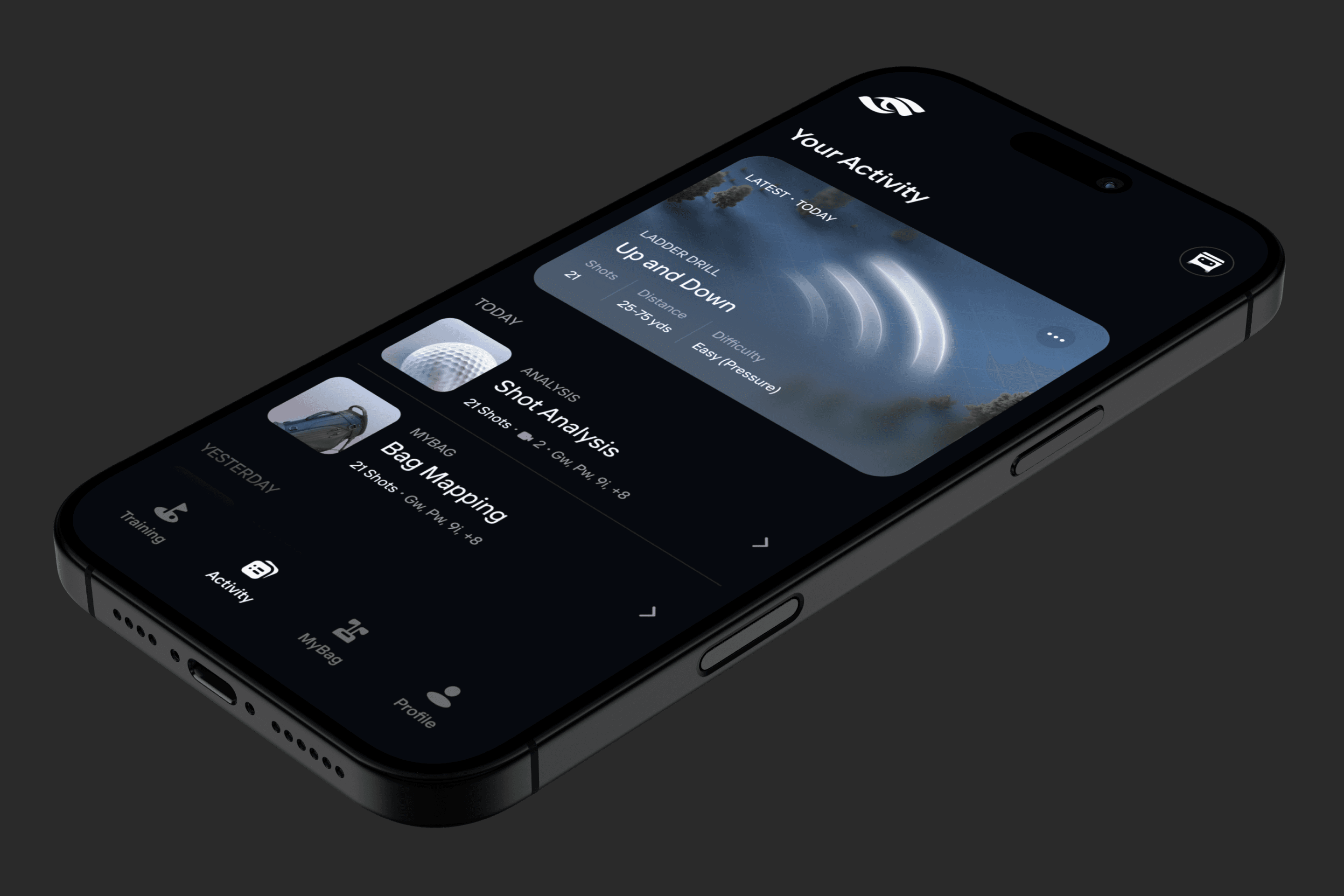
Phone mockup showing activity screen flat isometric

Your device keeps recording even when the app isn’t on screen.

New Features

  • Your device now stays connected while the app is in the background or your screen is off. Shots taken during a session are still captured; just reopen the app to finish or review

Bug Fixes

  • Minor bug fixes and improvements

Bug Fixes

  • Fixed incorrect scores for Ladder Drills in pressure mode
  • Fixed Ladder Drills getting stuck in pressure mode past the target count
  • Fixed MyBag sync status showing as failed after a successful sync

Bug Fixes

  • Starting a training drill without a connected device now shows a connection prompt instead of a black screen
  • Historical training sessions no longer show a score of 0
  • You can now cancel while adding a club during a Shot Analysis session
  • Fixed MyBag sync incorrectly reporting as failed after a successful sync

Bug Fixes

  • Fixed 3-wood club models not loading in Club View
  • Fixed sessions and Quick Range failing to start when launched immediately after opening the app
  • Club View no longer resets after returning from the background
  • Fixed a crash on startup on Android

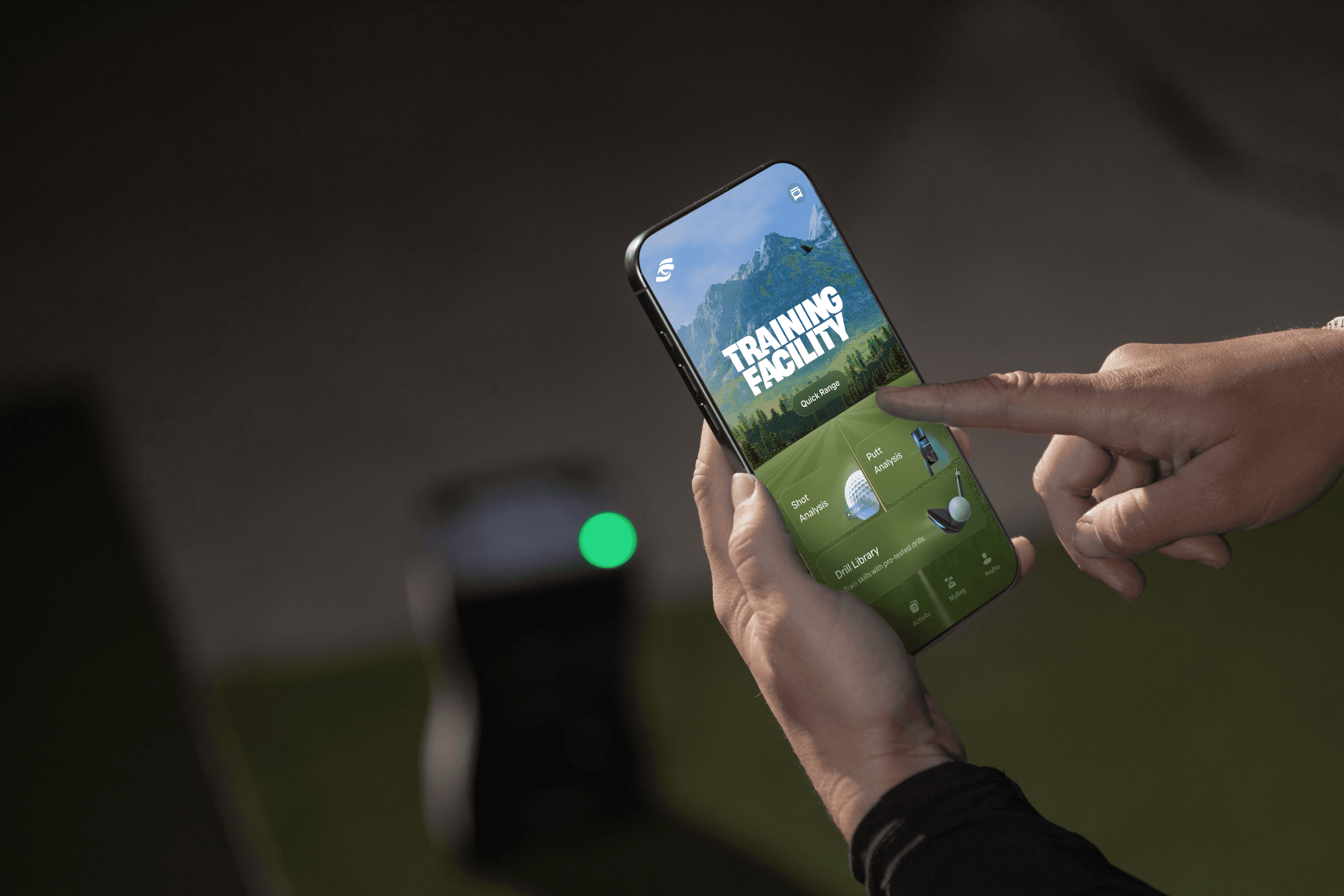
Introducing the Training Facility

Phone mockup showing training facility held in hands

Warm up in the all-new Quick Range, then get to work with Ladder Drills and Target Practice. Plus a new down-the-line 3D range view in Shot Analysis.

New Features

  • Training Facility: start your session by warming up in the all-new Quick Range, then jump into focused practice
  • Ladder Drills: test your precision and consistency by progressing through a series of targets
  • Target Practice: dial in your distances and accuracy with targets and quadrants
  • 3D Range Visualization: a new down-the-line 3D range view in Shot Analysis for a more immersive, intuitive look at your shots

Improvements

  • The Activity view has been refreshed to more clearly distinguish between session types

Bug Fixes

  • Fixed an issue where Club View could sometimes fail to load models
  • Fixed an issue where some users could see an infinite loading spinner when starting a session
  • Minor bug fixes and performance improvements

Bug Fixes

  • Minor bug fixes and improvements

Split-Screen on Tablets

Mockup tablet shotanalysis splitview table range

Two views, one screen: tablets can now show a pair of data visualizations side by side.

New Features

  • Tablets now support split-screen viewing for Shot and Putting Analysis, letting you keep two different data visualizations open at the same time

Bug Fixes

  • Minor bug fixes and improvements

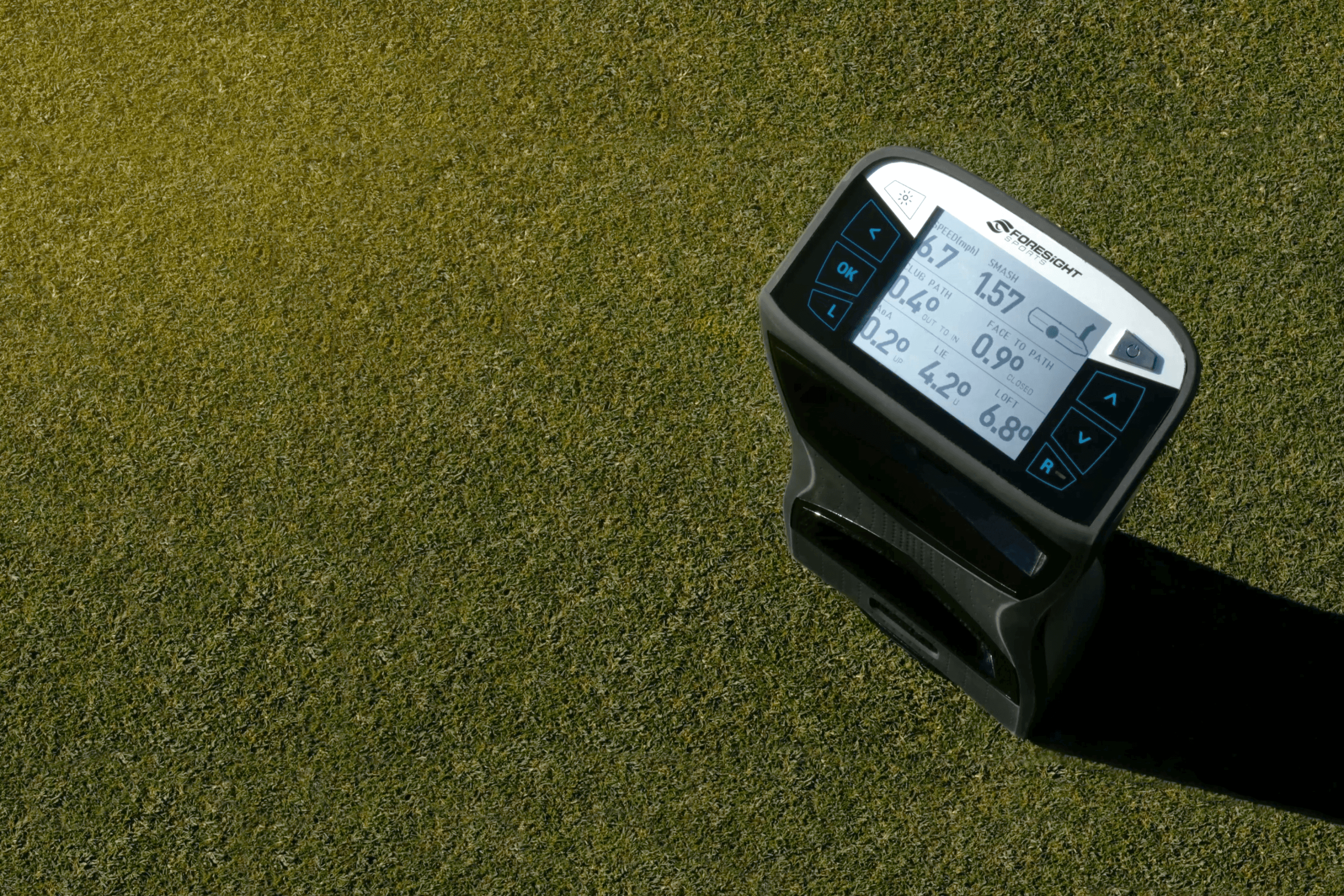
Putting Analysis for GCQuad and QuadMAX

GCQuad putting with screen showing data

Putting comes to GCQuad and QuadMAX owners, and getting a new device set up is simpler.

New Features

  • Putting Shot Analysis sessions are now available for GCQuad and QuadMAX, unlocking richer data and clearer feedback on your putting stroke

Improvements

  • Improved onboarding experience for new device owners

Bug Fixes

  • Fixed an issue saving MyTiles on GCQuad and QuadMAX
  • Minor bug fixes and improvements

Bug Fixes

  • Minor bug fixes and improvements

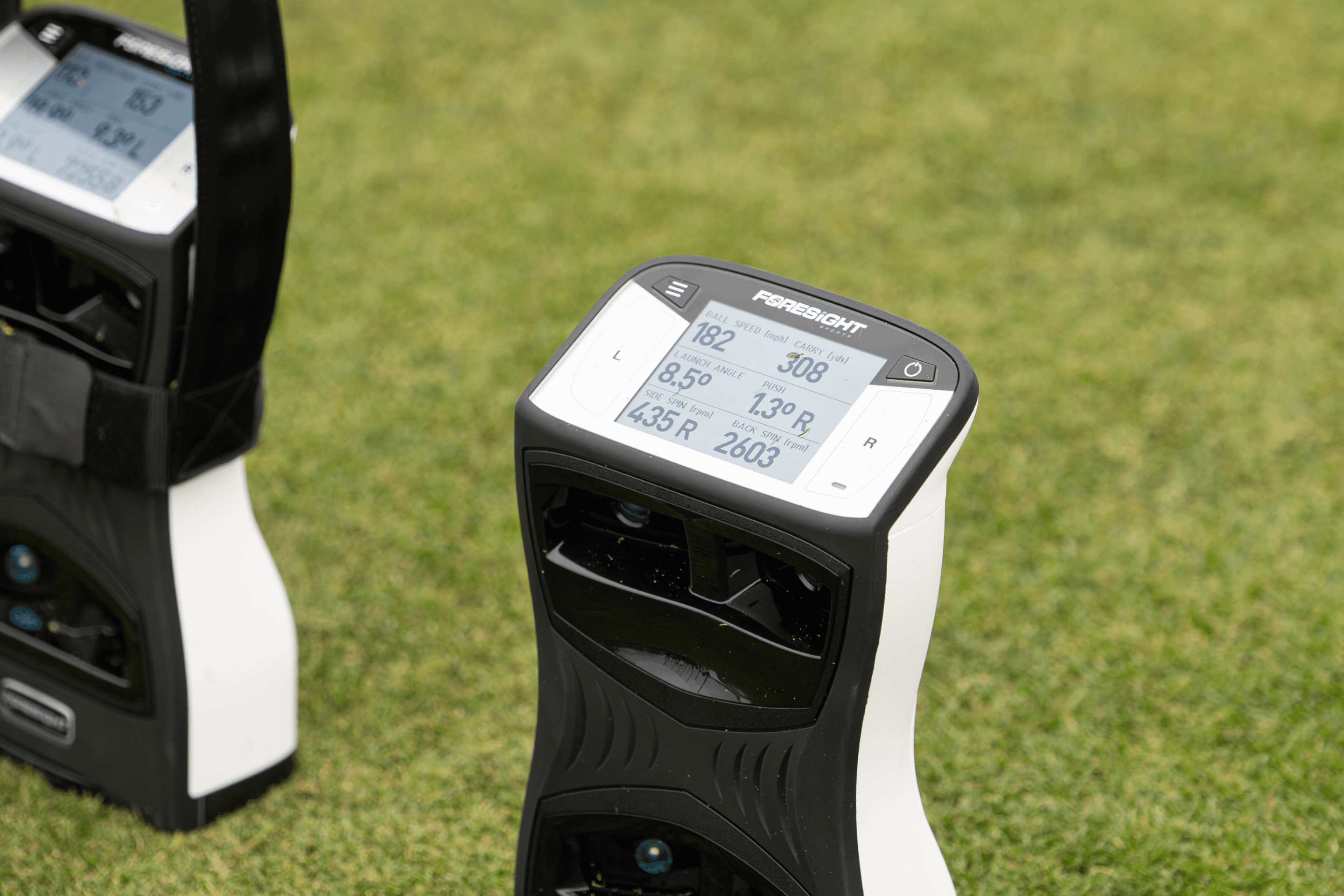
Better GCQuad and QuadMAX Connectivity

QuadMAX showing data on screen

More dependable connections to GCQuad and QuadMAX, and a faster start when your network is weak.

Improvements

  • Improved connectivity with GCQuad and QuadMAX devices
  • Faster start-up in low or no network conditions

Bug Fixes

  • Resolved a rare issue where iOS users could not see Club View models
  • The app no longer reports a firmware update is available when you already have the latest

Club View

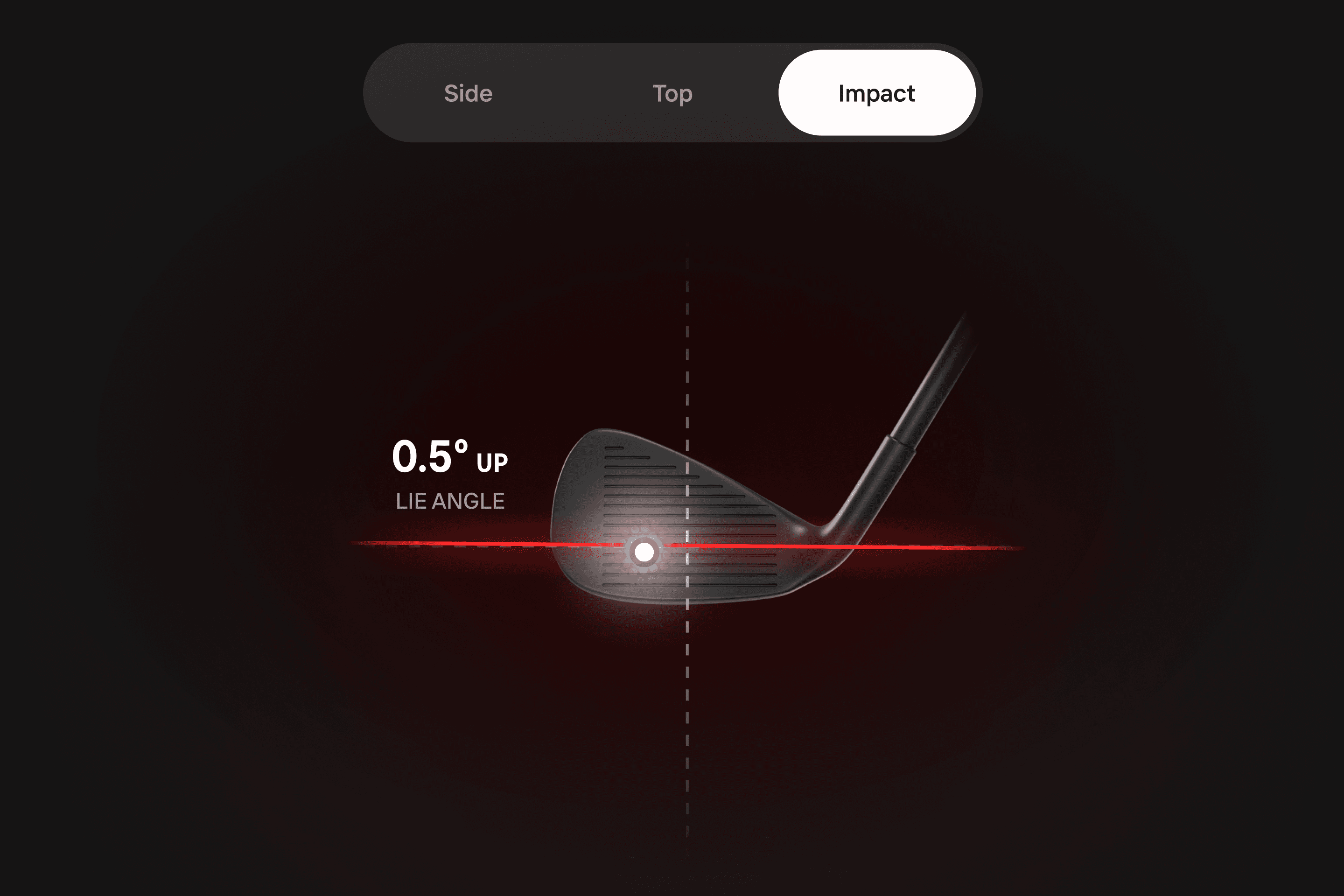
Feature view club impact

Club View brings a full 3D representation of your club into Shot Analysis.

New Features

  • Club View for Shot Analysis sessions: a full 3D representation of the club with side, top, and impact views for every shot

Bug Fixes

  • Club transitions now animate smoothly instead of cutting
  • The club model updates correctly after switching views, hitting shots, or changing clubs
  • Shot Analysis now loads on poor or no network when your session has expired

Bug Fixes

  • Minor bug fixes and improvements

Bug Fixes

  • Minor bug fixes and improvements

Improvements

  • The app is now listed as “Foresight” on the Apple App Store, matching Google Play
  • Minor bug fixes and improvements

Best Shots and Session Management

Phone mockup showing dispersion analysis held outdoors

Focus on your most consistent shots, tidy up your history, and connect more reliably to GC3-family devices.

New Features

  • “Best Shots” grouping filter in Dispersion View shows your most consistent shots per club instead of every shot
  • Delete historical sessions
  • Export historical sessions

Improvements

  • Improved device connectivity for GC3, GC3S, LPi, and LaunchPro
  • Other minor bug fixes and improvements

Session Export and Shot Tracers

Phone mockup showing dispersion data flat isometric

Take your session data with you, and watch each shot trace across the Dispersion View.

New Features

  • Export the data of a historical session
  • Visual shot tracers in Dispersion View

Bug Fixes

  • Fixed an issue with auto-registration of some devices on first-time connection
  • Other minor bug fixes and improvements

Smoother Imports from GCQuad and QuadMAX

GCQuad outdoor swing with tablet display

Faster, more reliable connections and a cleaner workflow for bringing sessions in from your device.

Improvements

  • Improved connectivity to devices under certain network conditions
  • Improved workflow for importing shot sessions from GCQuad and QuadMAX

Bug Fixes

  • Resolved a rare issue where pushing MyTiles presets to QuadMAX could disconnect the device

Improvements

  • Support for the YouTube video player for in-app videos

Connectivity, Auto-Validation, and Upload Retries

Mockup tablet data tiles

A broad stability release centered on device connectivity, with automatic validation and upload retries.

New Features

  • Devices are automatically validated when connected through the app
  • Retry shot session uploads to FSX Live
  • Tap the Bluetooth icon in the header to jump to your devices
  • QuadMAX shot data (firmware 1.0.3.0 and later) includes additional values on import

Improvements

  • Numerous device connectivity and stability improvements
  • Universal links now open the app on Android instead of the Play Store
  • Clear notices when a step needs an internet connection that isn’t available

Bug Fixes

  • Deleted MyTiles presets now propagate to QuadMAX
  • Devices identified as offline no longer require validation in the app
  • Your phone reconnects to Wi-Fi after a direct-to-device connection during validation or import
  • Shot library is now sorted with the most recent sessions first