Foresight Changelog

Bug Fixes

  • Players: Once another player has joined, you can remove the account holder from the first player spot.
  • Course updates: After you update Premier, a course that needed the new version no longer asks you to update again.
  • Contact support: Support phone numbers are current, and Visit support opens a request.

Foresight Premier 1.2 is here, with newly converted courses, a data tile widget and view in Shot Analysis, a repositioned bottom HUD for a better view of the course, and other improvements in Course Play.

Course Play

  • Bottom HUD: Repositioned to the left of the screen for a better view
  • Lie penalties: See power and spin range impacts in ugly lies
  • Default aim fixes: On shorter doglegs, your aim starts down the fairway instead of at the pin through the trees
  • End of hole: Spacebar moves you on to the next hole and keeps the score you posted
  • Tee names: Courses with custom tee names show them everywhere you pick a tee
  • Hole-out sounds: Hear the ball drop into the cup and ring off the flagstick
  • Distant scenery: Small rocks and other details stay in view during flyovers
  • 4:3 display help: The minimap, player list, and top-right menu are properly sized for 4:3 displays
  • Smaller course downloads: Courses share more common assets

Shot Analysis

  • Data Tiles view: A new tab fills the screen with your shot numbers, and you pick which tiles appear
  • Data Tiles widget: Keep the shot numbers you choose beside the ball flight on the range
  • Extra screens: Show more data tiles at once, and the grid scrolls when you add more

New Courses

Course Pass

  • PB Dye
  • The Bridges

Course Pass Pro

  • Stonewall Links
  • The Bedens Brook Club
  • Niagara Falls Country Club
  • Totteridge
  • Credit Valley
  • Panther Creek

Training

  • Adding Targets: Cancel and Create stay in view while you add targets to a custom drill, and the target list scrolls

Foresight+

  • Billing address: Enter your address from many more countries, with fields that match your country

More Fixes

  • Smaller fixes and polish across Course Play, Training and the Course Library

This release contains quality-of-life improvements for Course Play and Shot Analysis, as well as some fixes regarding membership management.

We’re also working on features for future updates: including green reading & putting changes, 4:3 sim setups, scoring formats, skip hole/pick up, and more. Stay tuned!

Course Play

  • Bunker shots: The camera switches to a third-person view when the ball is in a bunker
  • Aim circle: Now sits cleanly on sloped ground and stays visible
  • Penalty flows: Added more time to select approach after a water or out-of-bounds shot, and the mulligan key works
  • Leaving a round and returning: Come back to the tee with your previously-set aim line
  • Multiplayer: Each player's ball sits on the tee, and the minimap resets for new players
  • Scorecard: Hole lengths now respect your metric units setting

Shot Analysis

  • Club Compare: Shot trajectories fill the chart, so shots are easier to compare
  • Table and Club views: Stay on screen after each shot when the chase camera is on
  • Table view: Quick Select opens right under Club Filter, and the shot panel toggle is easier to see

Foresight+

  • Plan changes: Downgrade to a lower membership or Course Pass plan from your profile
  • Canceling: See what changes before you cancel a membership or remove a Course Pass
  • Course access: Courses you unlock are ready to play right away

Setup and Devices

  • GC2 support: Foresight’s newest launch monitor
  • Device Connection help flow: Takes you back to the previous screen without closing the window
  • Multi-screen selection: Monitors with the same name are numbered so you can tell them apart
  • Edit player: The player card stays visible while you scroll the tee list
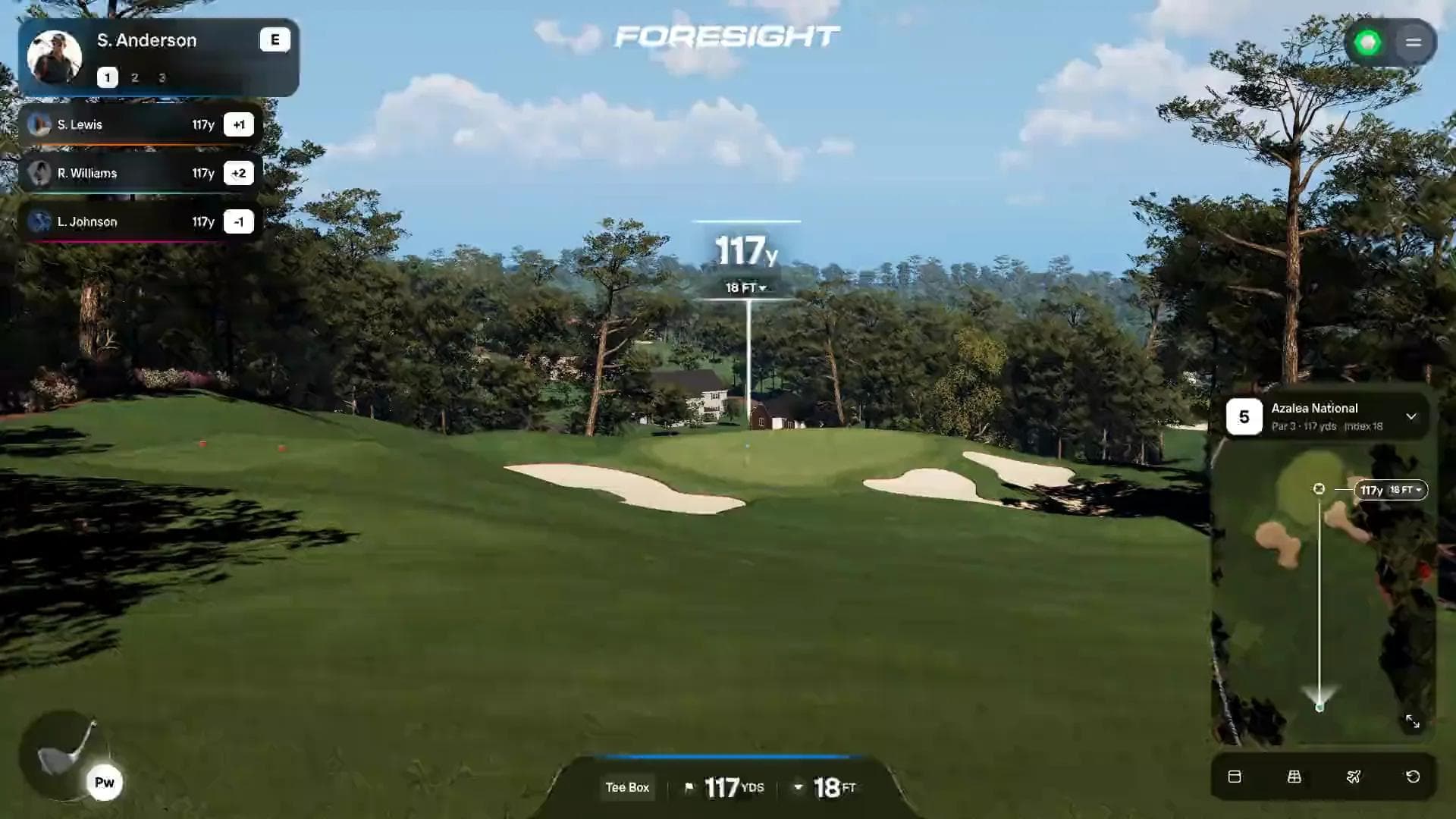
Introducing Foresight Premier

Foresight Premier course play

Foresight Premier is here!

Play sim golf with upgraded graphics and realistic physics, analyze your game using professional-grade tools, and train with scored drills. Many features on Premier are unlocked by a Foresight+ Silver or Gold membership. Available on PC.

Course Play

  • Course Library: Search, filter and sort courses as you type. Courses are available via Course Pass and Course Pass Pro. Foresight+ members who own FSX course licenses can also carry their ownership over to Premier (where converted).
  • Updated Physics: Our physics are better than ever, with realistic bounce and rollout to complement the world-class data from Foresight launch monitors.
  • Match Settings: Choose your tees, pins, putting, lie penalties and mulligans. More scoring modes and settings coming soon.
  • Multi-screen: Supported so you can show the course on the big screen and your data and mini-map on the smaller screen.
  • Course Updates: We’ve converted over 100 courses from the FSX library and tuned them for Premier, so they look and play better than ever. We’ve also remastered select courses - revisited the course in detail for an even more immersive round.
  • Course Visuals: We’ve tuned grasses, bushes, trees, clouds, buildings, shadows and satellite images to look great and run smoothly.

Shot Analysis

  • Targets: Place greens, bullseyes and landing zones downrange.
  • Core Views and Dispersion: Focus on your most consistent shots with each club
  • Compare View: Put clubs side by side, complete with club data
  • Swing Video: Use basic USB cameras or high-end hardware to capture and annotate every swing from your training session.

Training

  • Training Mode: Practice with scored drills, straight from the main menu.
  • Target Practice and Ladder Drills: Dial in distance and accuracy, or climb a set of distances one target at a time.
  • Difficulty and Custom Drills: Pick Easy through Tour Pro, or build and save your own drills.
  • Drill Summary: See your score, the handicap you played like, and where your miss tendencies are.